Shopify Blog SEO: A Complete Guide To Optimize Your Content (2026)
Shopify stores with active blogs receive 55% more organic traffic than stores without one. That single stat tells you everything you need to know about why Shopify Blog SEO deserves your attention.
Most merchants rely only on product and collection pages for organic traffic. Those pages can only rank for purchase-intent keywords. A blog opens up an entirely different set of keyword opportunities, informational searches that happen before a shopper decides to buy. Capturing that traffic and guiding it toward your products is exactly what Shopify Blog SEO does.
This guide gives you a practical, step-by-step approach to Shopify Blog SEO that works for store owners with no SEO background and no agency budget.

Summary
- Section 1: How to set up a Blog on Shopify
- Section 2: Why every Shopify store needs a blog for SEO
- Section 3: Steps to optimize Shopify Blog
- Section 4: App comparison table and the best tools for Shopify Blog SEO
How to Set Up a Blog on Shopify for SEO
Before your Shopify Blog SEO strategy can work, you need a blog that is properly set up and visible to both shoppers and search engines. Shopify makes this straightforward, but there are a few SEO-specific steps most merchants skip.
Steps to create a blog on Shopify:
- From your Shopify admin, go to Content, then Blog posts.
- Click Manage blogs, then click Add blog.
- Give your blog a clear, descriptive title that reflects your store’s niche. This title appears in your navigation and contributes to your Shopify Blog SEO by telling Google what the blog section covers.
- Select how you want to manage comments. Enabling comments adds user-generated content to your posts over time, which supports Shopify Blog SEO by keeping pages fresh and adding natural keyword variation.
- Click the pencil icon in the Search engine listing preview section. This is where most merchants stop, and it is a critical Shopify Blog SEO step. Enter a page title.
- Set a clean URL handle. Keep it short and keyword-relevant, for example /blogs/skincare-tips rather than /blogs/news.
- Click Save.
Once your blog is created, add it to your main navigation menu so Google can crawl it easily. An unlinked blog is an orphan page, and orphan pages rarely rank regardless of how good the content is.
Time to complete: 10 to 15 minutes including SEO listing setup.
After the blog is live, every post you publish should follow the Shopify Blog SEO steps covered in this guide.

Why Shopify Blog SEO Matters More Than Most Merchants Think
Product pages compete for transactional keywords like “buy organic cotton t-shirt.” These keywords are valuable but extremely competitive. A blog lets you compete for informational keywords like “how to care for organic cotton” or “benefits of organic clothing,” which attract shoppers earlier in their journey.
The top five spots on Google’s first page generate 70% of all clicks. If your blog post ranks for a highly searched query, it can bring in thousands of visitors from organic search without any ongoing ad spend. Paid ads stop working the moment you stop paying. Shopify Blog SEO keeps working indefinitely.
Shopify Blog SEO works on three levels at once:
- First, it brings in traffic from shoppers who are researching before buying. These visitors may not purchase on their first visit, but they are far more valuable than cold traffic from ads because they are already interested in your product category.
- Second, it builds topical authority. When Google sees your store consistently publishing useful content about your niche, it treats your domain as an expert source. This authority lifts rankings across your entire store, including your product and collection pages.
- Third, blog content compounds over time. A well-optimized blog post published today can generate organic traffic for years. Publishing just two posts per month adds 24 indexed pages to your store over a year. Each one targets a different keyword cluster and sends a steady stream of visitors to your store.
Step 1: Keyword Research
The difference between a blog that ranks and one that nobody reads almost always comes down to keyword research. Shopify Blog SEO starts with finding the right topics, not just writing about what you find interesting.
Steps:
- Start with customer questions: Use your product categories to find topics shoppers already search for, like comparisons, beginner guides, or product care tips.
- Choose topics that support sales: Focus on blog ideas where your products naturally help solve the reader’s problem or guide a buying decision.
- Target commercial informational keywords: Prioritize keywords like “best [product],” “[product] vs [product],” or “is [product] worth it” because they attract shoppers close to purchasing.
- Use keyword research tools: Check search volume and keyword difficulty with tools like Google Keyword Planner or Ubersuggest. Aim for moderate competition keywords with steady search demand.
- Group keywords into one comprehensive post: Combine related keywords into a single in-depth article instead of creating multiple short posts targeting similar topics.
Time to complete: 30 to 60 minutes per blog topic before writing begins.
Step 2: Choose Content Types That Perform for Shopify Blog SEO
Not every blog post format delivers the same results. These four content types consistently outperform others in Shopify Blog SEO because they match what shoppers are actually searching for.
How-to guides. Step-by-step content that solves a specific problem. “How to Build a Capsule Wardrobe with 30 Pieces” or “How to Set Up a Home Coffee Bar.” These target “how to” searches, which make up roughly 8% of all Google queries. Include natural product recommendations within the steps.
Buying guides and comparisons. Content that helps shoppers evaluate options before purchasing. “Best Running Shoes for Flat Feet in 2026” or “Ceramic vs Stainless Steel Cookware: Which Is Better?” These are the highest-converting blog content type. Buying guides convert at two to three times the rate of general informational posts because readers are actively deciding what to buy.
Problem-solution posts. These address specific pain points and position your products as the answer. “Why Your Indoor Plants Keep Dying and How to Fix It” or “How to Stop Running Shoe Blisters.” These posts build trust by demonstrating genuine expertise before asking for a sale.
Listicles and roundups. Curated lists that gather useful information in one place. “15 Home Office Essentials for Remote Workers” or “10 Kitchen Organization Ideas Under $50.” These are easy to scan, perform well in Google’s featured snippets, and can target multiple long-tail keywords within a single post.
Step 3: On-Page Optimization
Writing a great post is only half of Shopify Blog SEO. On-page optimization determines whether Google can understand and rank your content.
Before / After:
| Without on-page Shopify Blog SEO | With on-page Shopify Blog SEO |
| Generic title with no keyword | Keyword-rich title under 60 characters with a click trigger |
| No meta description set | 150-character meta description with keyword and clear value |
| One long block of text with no headings | Clear H2 and H3 structure with keywords in subheadings |
| Images uploaded without alt text | Descriptive alt text including primary keyword |
| URL auto-generated as /blogs/news/post-123 | Clean URL like /blogs/news/best-running-shoes-beginners |
Steps:
- Optimize your title tag
Keep titles under 60 characters and place the main keyword near the beginning. Add numbers, years, or benefits to improve clicks. - Write a strong meta description
Use 120–155 characters with your keyword and a clear reason for users to click your post. - Structure headings properly
Use one H1 title, H2s for main sections, and H3s for details. Include keywords naturally in headings. - Keep paragraphs short
Write in short paragraphs of two to four sentences to improve readability and reduce bounce rates. - Answer the main question early
Include a direct answer within the first 100 words to improve your chances of appearing in featured snippets. - Use related keywords naturally
Add supporting keywords and synonyms throughout the content instead of repeating the same phrase too often. - Optimize images and alt text
Compress images before uploading and add descriptive alt text to help with image SEO and page speed.
Time to complete: 20 to 30 minutes of optimization work per post after the content is drafted.
Step 4: Internal Linking Strategy for Shopify Blog SEO
Internal links are one of the highest-return elements of Shopify Blog SEO because they connect your informational content directly to your commercial pages and guide readers toward purchasing.
Every blog post should include three to five internal links distributed naturally throughout the content.
- Blog to product links. Link directly to relevant products where they solve the problem being discussed. “For the best results, choose a yoga mat designed for hot yoga.” This is the primary conversion driver in any Shopify Blog SEO content strategy.
- Blog to collection links. Link to collection pages when discussing a product category. “Browse our full resistance band collection to find the right resistance level.” These links support collection page rankings by passing authority from your content pages to your commercial pages.
- Blog to blog links. Link to related posts to keep readers engaged and build topic clusters. “For more on this, read our complete home gym setup guide.” These links distribute authority within your blog and signal to Google that your content covers a topic comprehensively.
Use descriptive anchor text for all internal links. “Browse our waterproof hiking boots” tells both Google and the reader exactly where the link leads. “Click here” does neither.

Step 5: Add Multimedia Content and Promote Your Posts
Multimedia content keeps readers engaged and signals high-quality content to Google. Images, infographics, and videos all reduce bounce rates by giving readers more reasons to stay on the page. For Shopify Blog SEO, engagement signals like time on page and pages per session matter alongside ranking factors.
In a comparison post, an infographic summarizing the options discussed in the article adds genuine value. In a how-to guide, a short video demonstrating the process helps readers who prefer watching over reading. Use a tool like Canva to create branded graphics quickly without design skills.
After publishing, promote every new post on social media and relevant online communities. Shopify merchant communities, niche Facebook groups, and industry forums are good starting points. Promotion drives early traffic, and early traffic signals to Google that the content is worth ranking.
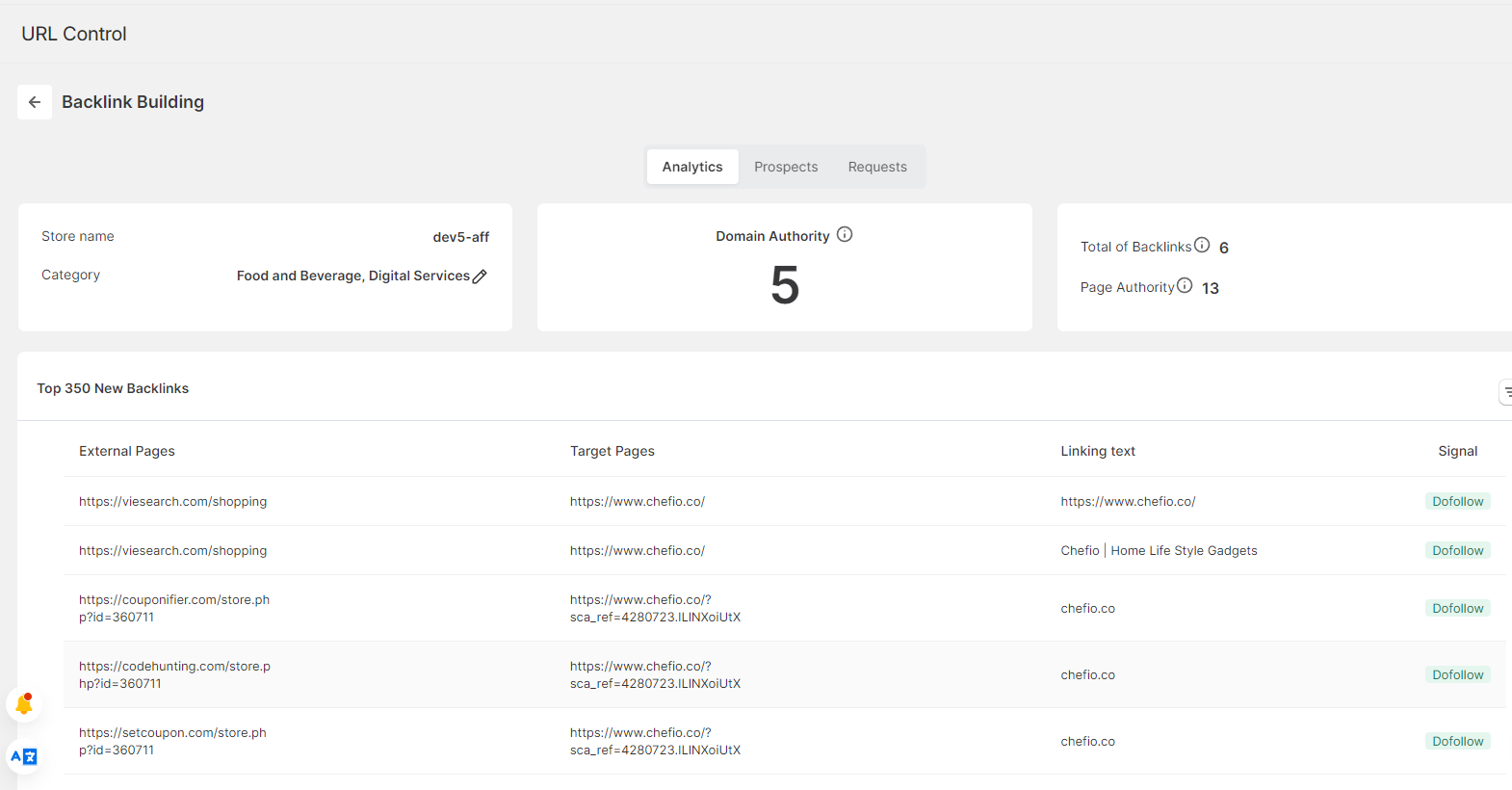
SearchPie’s backlink building feature lets you share newly published posts directly to Shopify community pages from inside the app, which is one of the fastest ways to build an early link profile for new Shopify Blog SEO content.
Step 6: Publish Consistently, Measure Results, and Update Old Content
Shopify Blog SEO rewards consistency. Google gives preference to sites that publish regularly because it signals an active, maintained store. Choose a cadence you can maintain for at least 12 months.
For new stores, two posts per month is the right starting point. For growing stores, three to four posts per month allows you to build pillar and cluster content groups that accelerate topical authority. Plan your content calendar at least one month ahead and batch your writing to stay consistent during busy trading periods.
Tracking your Shopify Blog SEO results:
| What to track | Where to find it | What to look for |
| Organic blog traffic | Google Analytics, filtered by landing page | Month over month growth from blog posts |
| Keyword rankings | Google Search Console, Performance tab | Target keywords moving into top 10 positions |
| Click-through rate | Google Search Console, Performance tab | CTR improving after title tag updates |
| Pages per session from blog | Google Analytics, behavior flow | Above 1.8 pages per session indicates effective internal linking |
| Assisted conversions | Google Analytics, Multi-Channel Funnels | Blog visits contributing to later purchases |
Every quarter, review your top-performing blog posts and update them with current data, fresh examples, and updated internal links. Google rewards content freshness, and posts that have been refreshed regularly see a ranking boost of 10 to 30% within two to four weeks. Update the publication date only after the content is genuinely refreshed. Cosmetic freshness tricks are a short-term fix that erodes trust long-term.
Also review underperforming posts. If a post has been live for six months with zero organic traffic, either rewrite it with better keyword targeting or merge it into a more comprehensive related post. Thin, low-traffic pages dilute your domain’s overall quality signals and hold back your entire Shopify Blog SEO strategy.
The Best Apps for Shopify Blog SEO
The right tools make Shopify Blog SEO significantly faster and more consistent. Here is a comparison of the top apps available for Shopify merchants in 2026, followed by more detail on the ones most relevant to your blog content workflow.
App Comparison Table
| App | Best for | Starting price | Rating |
| SearchPie | Blog SEO checklist, speed, backlinks | Free / $39/mo | 4.9 (3,500+) |
| TinyIMG | Image optimization, JSON-LD schema | Free / $18/mo | 5.0 (2,400+) |
| Booster SEO | All-in-one automation, meta tags | Free / $49/mo | 4.9 (6,400+) |
| Avada SEO | Comprehensive features, large catalogs | Free / $44.95/mo | 4.9 (6,300+) |
| SEOAnt (SEOWILL) | SEO automation + blog optimization | Free / $19.99/mo | 4.8 (1,400+) |
SearchPie: The Most Complete Shopify Blog SEO App
SearchPie is built specifically for Shopify merchants who want to handle Shopify Blog SEO without managing multiple tools or spending hours on manual optimization.
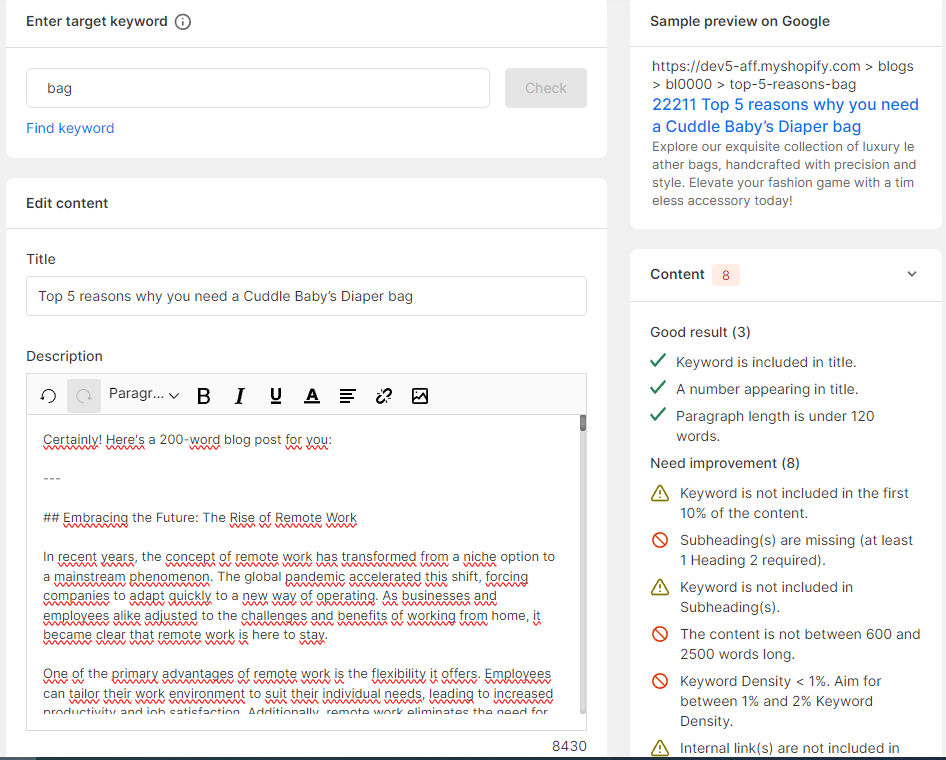
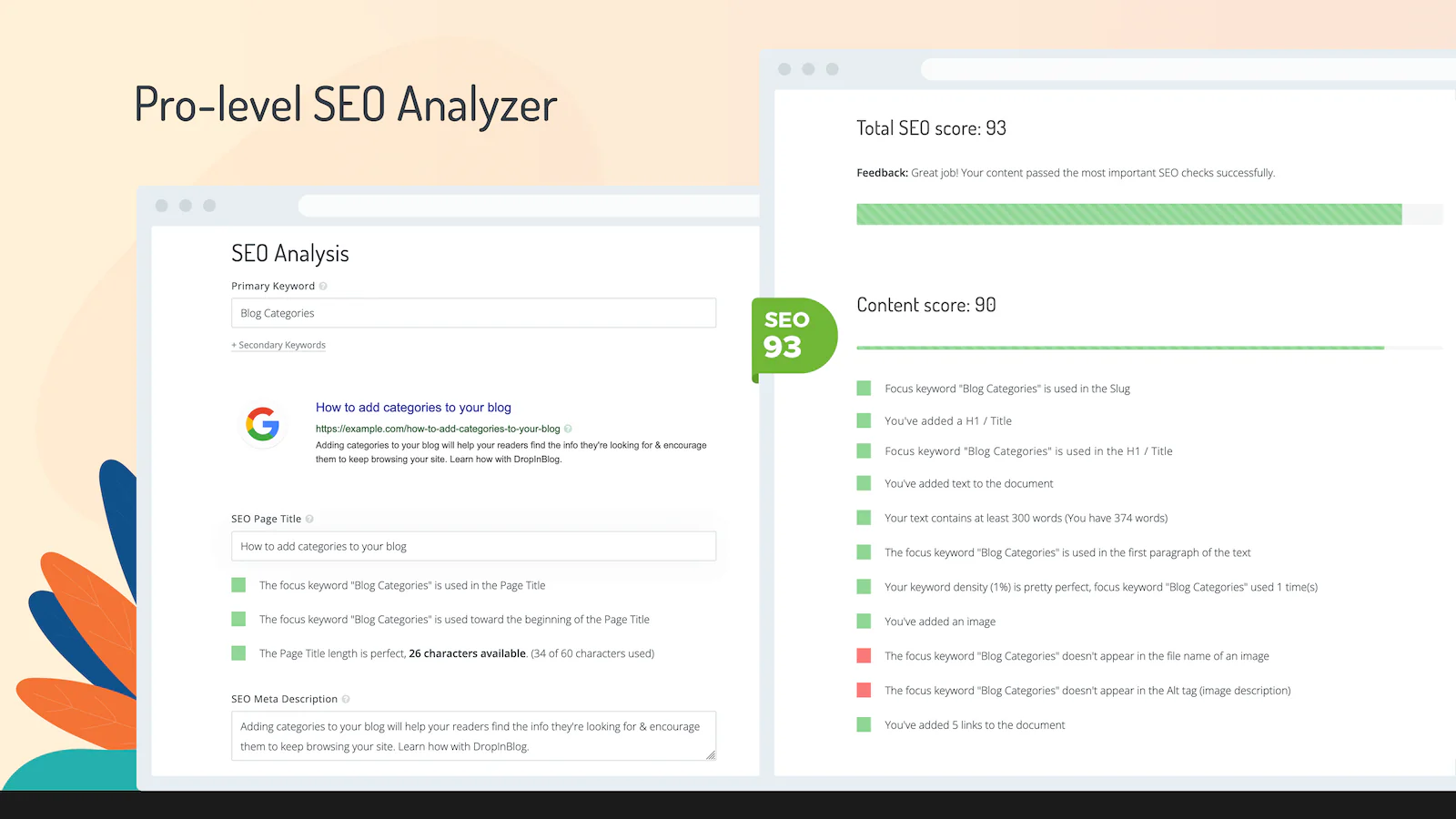
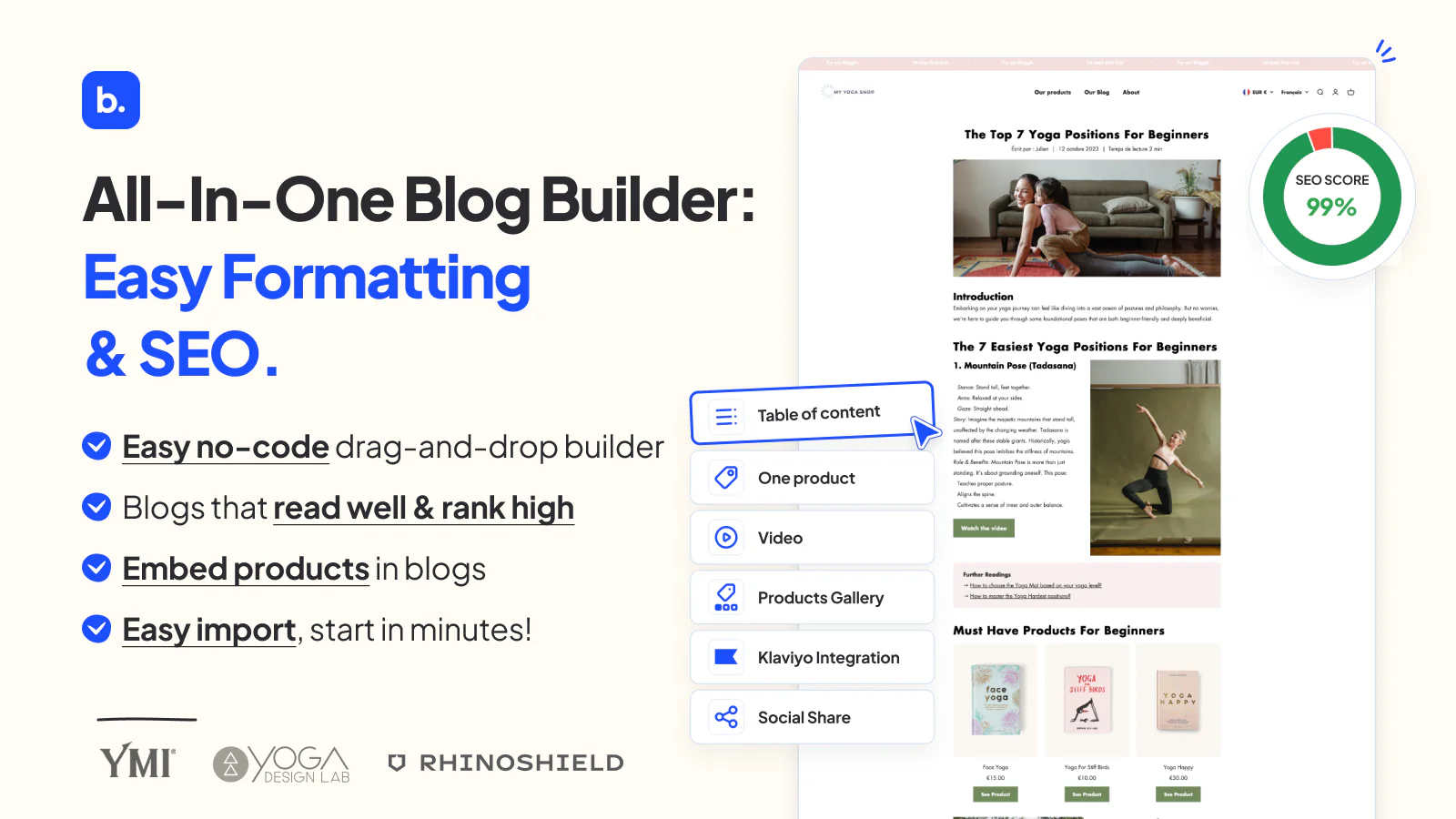
SearchPie’s SEO Checklist for Blog is a purpose-built feature that guides you through every optimization step as you write each post. It checks your keyword placement in headings, meta tag completion, image alt text, internal link count, and content structure in real time. You see exactly what is missing before you publish, which removes the guesswork from Shopify Blog SEO entirely.
SearchPie also analyzes your blog’s existing data and suggests high-performing keywords based on what is already driving impressions in your store. The backlink building feature lets you share newly published posts directly to Shopify community pages to start building an early link profile for each new piece of content.
Combined with its meta tag management, image compression, and site speed features, SearchPie handles the full Shopify Blog SEO workflow in one app rather than requiring separate tools for each task.
Best for: Shopify merchants who want guided, automated Shopify Blog SEO without needing expertise or managing multiple apps.
Price: Free plan available. Paid plans from $49/month.


TinyIMG: Best for Image Optimization Alongside Blog Content
TinyIMG is the strongest option for merchants whose blog posts are image-heavy, such as food, fashion, or home decor stores. It compresses images without visible quality loss, generates alt text automatically using AI, and implements JSON-LD structured data for blog articles.
The combination of image optimization and schema markup in one app makes TinyIMG particularly useful for because blog posts with properly optimized images load faster, rank better, and are more likely to appear in Google image search results.
Best for: Blog-heavy stores that publish image-rich content and want image compression alongside structured data in one app.
Price: Free plan with limited compressions. Paid plans from $18/month.

Booster SEO: Best for Hands-Off Blog Optimization
Booster SEO combines meta tag optimization, image compression, and structured data in a single package. Its autopilot mode automatically fixes common SEO issues across your store, including blog posts, without requiring manual intervention for each change.
For merchants who publish blog content regularly but do not have time to optimize each post individually, Booster SEO’s autopilot feature handles routine tasks in the background. Review the autopilot suggestions rather than accepting them blindly, as some recommendations may not fit your specific content strategy.
Best for: Store owners who want comprehensive Shopify Blog SEO coverage with minimal manual work.
Price: Free plan available. Paid plans from $49/month.

Avada SEO: Best for Large Catalogs and Blog-Heavy Stores
Avada SEO offers one of the most feature-rich free plans available, including Google Search Console integration, automatic sitemap submission, and detailed SEO analysis within your Shopify admin. For stores that publish blog content alongside large product catalogs, Avada’s bulk optimization tools make it practical to maintain Shopify Blog SEO across hundreds of pages simultaneously.
Best for: Stores with large product catalogs and active blogs that need bulk optimization tools and deep Search Console integration.
Price: Free plan available. Pro plan from $44.95/month.

SEOAnt: Best for Blog Automation and Multi-Language Stores
SEOAnt handles SEO automation across both product pages and blog content. It is particularly useful for merchants running stores in multiple languages who need Shopify Blog SEO managed consistently across different language versions of their blog content.
Best for: Multi-language Shopify stores that need blog SEO automation across different regional versions of their content.
Price: Free plan available. Paid plans from $19.99/month.

FAQs
Most Shopify stores should publish at least two blog posts per month consistently. Regular publishing helps build topical authority and gives Google more pages to index.
Buying guides and comparison posts usually convert the best because they target shoppers close to making a purchase. How-to guides are also effective for bringing in steady informational traffic.
Yes. A well-optimized blog attracts organic traffic and guides readers to relevant products through internal links and product recommendations.