Social Tags – A Simple Way To Boost The Engagement and Reach
In today’s fast-paced digital landscape, where social media have become an integral part of our lives, Sharing information on social media is a potential communication channel to reach customers and increase business efficiency if used effectively. And its result mostly depends on how customers see this information – social tags.
In this article, we’ll explore what tags are and how it’s optimizing the way we share a link of our products on social media.
What Are Social Tags?
Social tags, also known as social meta tags, allow website owners to control how content shows up when a web page is shared on social media platforms (Facebook, LinkedIn, Twitter, etc). In simpler terms, when tags appear on a website, website owners can control the links’ interface including the image, title, description, and other elements that enhance their visibility and appeal on social networks.
Why Social Tags matter for SEO?
Want to boost your website’s visibility when sharing on social media? Look no further than social meta tags since they offer tremendous benefits that improve your SEO, and here are some of the most prominent perks:
- Improve Click-Through Rates (CTR): By controlling the appearance of your content sharing on social media, tags with a catchy title, compelling description, and a relevant image help make your links more attractive to users.
- Better User Experience: By displaying the right information, tags help users find what they’re looking for – relevant and consistent content. This can lead to a lower bounce rate when users find your content useful and valuable.
- Increase Social Sharing: When your content is visually appealing and informative on social media, it is more likely to be shared by others, leading to more visibility.
- Build Brand Recognition and Trust: Consistent this tags can help people recognize your brand and trust it, which can lead to more return visits.
- Offer Indirect SEO Benefits from Social Signals: While social signals (likes, shares, comments) are not direct ranking factors, they can still help your website’s search engine ranking by attracting more attention and potentially getting backlinks.
Common types of social tags include:
- Open Graph (OG) tags – primarily used by Facebook and LinkedIn.

- Twitter Cards – used by Twitter to display rich media like images, videos, or summaries.

- Pinterest Rich Pins – to display additional details when content is pinned.
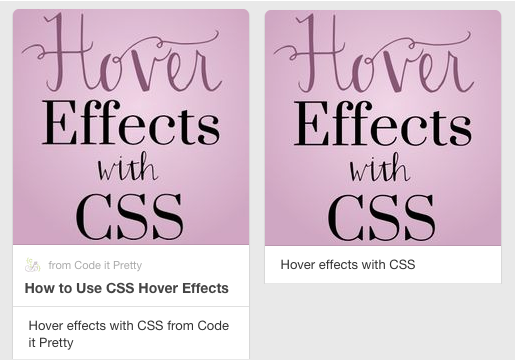
As we can see, each features multiple attributes of the Web page:
- a prominent image and title
- a description
- the domain name
How to effectively and effortlessly optimize Social tags for your Shopify store?
With a Shopify store, optimizing Social Shopify tags could enhance many conversion rates, but it could be time-consuming if you aren’t on the right way. There are some recommended ways to optimize your Shopify tags.
1. Shopify admin
For all of the free themes from Shopify, when you post a link from your online store to social media, the featured image for that page is shown. The following page types have featured images:
- Product pages
- Collection pages
- Blog posts
2. Edit tags for Products, Collection, Blog
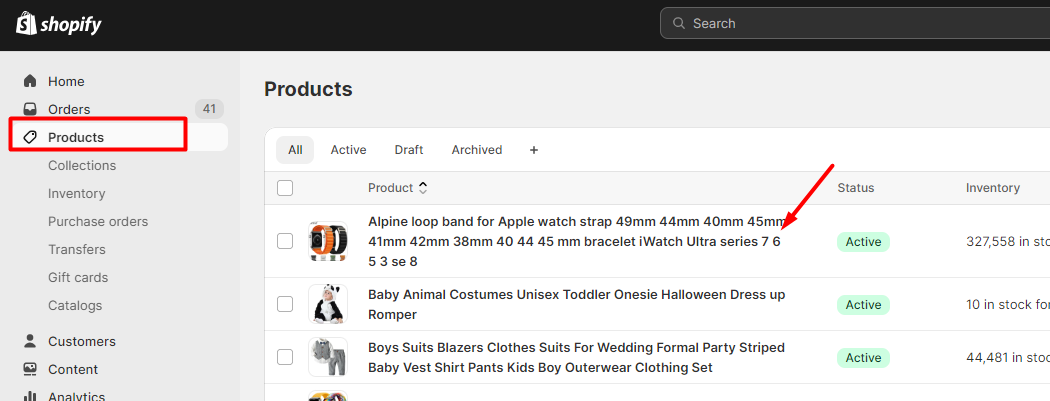
- Go to your Shopify admin panel and click Products.
- Select the product you want to edit by clicking on its title.
3. Design the title, description, media.
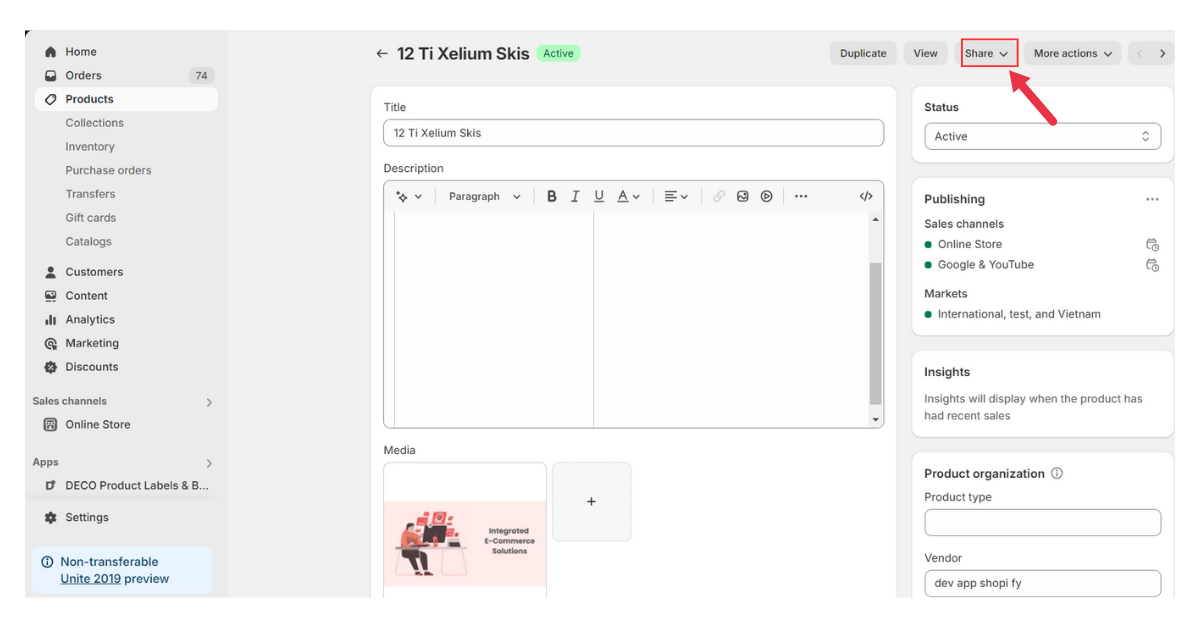
4. Press Share and choose the platform you want.
5. Edit tags for Home Page
For pages that don’t have featured images, like your homepage or an “About us” page, the social sharing image of your online store is shown.
Setting the social sharing image, title, description in your admin
In the Online Store preferences of your store, you can add a default image when a featured image for the page can’t be found.
Steps:
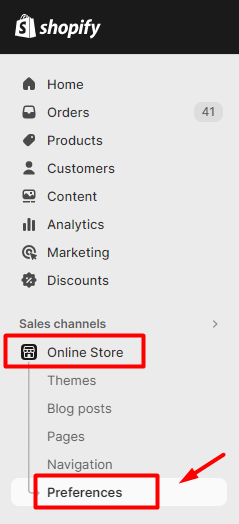
- From your Shopify Admin, click Online store.
- Click Preferences.
- Find the Social sharing image/ title and meta description section.
- To upload a new image, click Add image. To change the existing image, click Edit > Change image.
- Type your meta title and description.
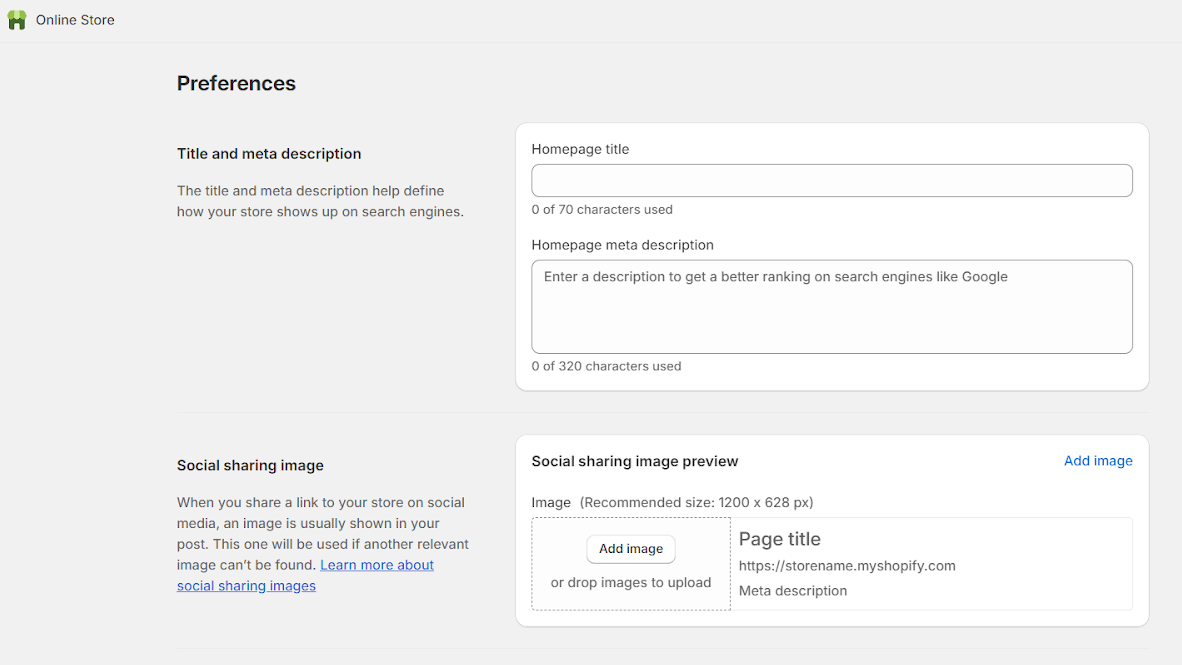
- Click Save.
Search Pie app:
Creating social meta tags for your Shopify store is crucial for SEO, as it helps optimize the interface of your links, and users find what they truly want.
Although you can create Shopify tags in Shopify, it requires many complicated steps.
SearchPie is a powerful and user-friendly app that helps improve Google visibility and site speed. Search Pie is available on Shopify app store and you can optimize your Shopify tags with your meta title, description and thumbnail.
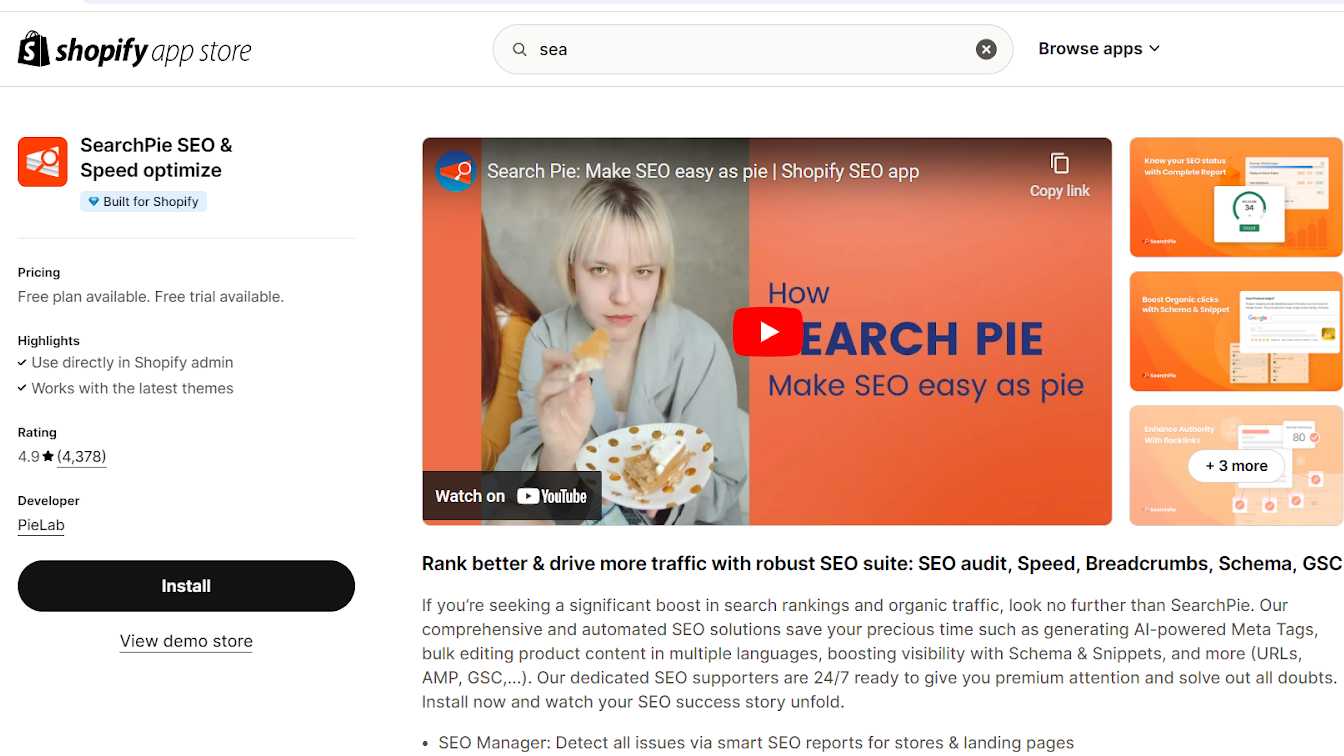
One of the outstanding features Search Pie provides is Social Shopify tags, you will have the most optimized tags with our advanced SEO features:
- Bulk Editing: Update tags for all similar pages at once using various templates.
- Edit manually: Create tags with title, description and thumbnails.
- Intelligent Keyword Suggestions: Find the perfect keywords to boost your ranking.
- Real-time Character Counts: Stay within search engine guidelines.
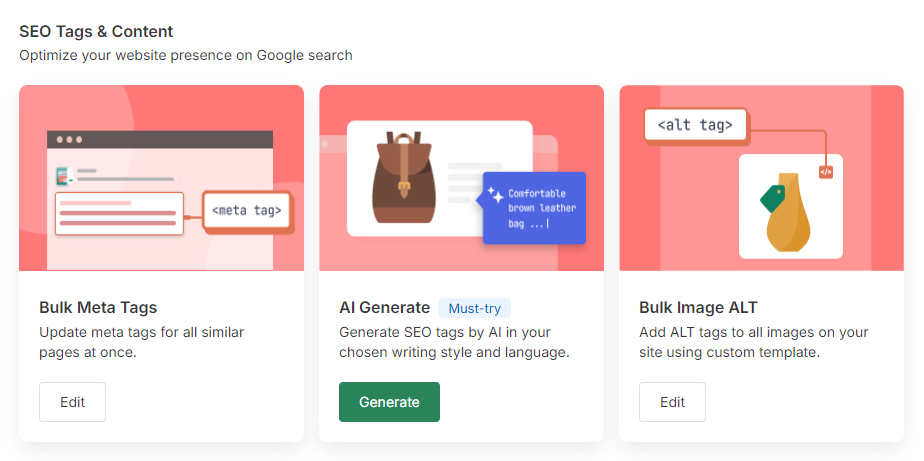
- Bulk Social Shopify Tags feature
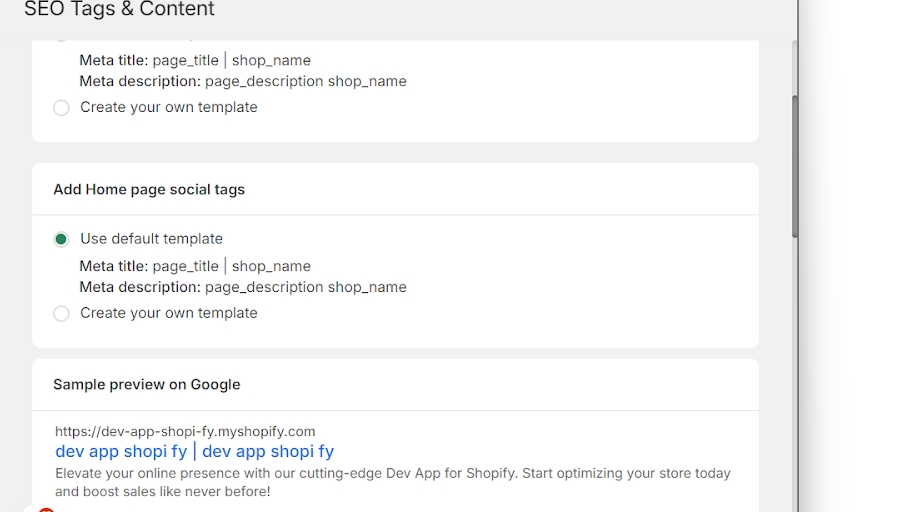
After installing SearchPie, to bulk edit your tags, you just need to follow these simple steps:
- Access Bulk Meta Tags feature in app
- Choose the page whose meta tags you want to edit
- Choose the template you want to apply. It can be our default template, or you can easily create your customized one with meta title and meta description in bulk only.
- Save your settings and preview the result on Google
- Edit manually
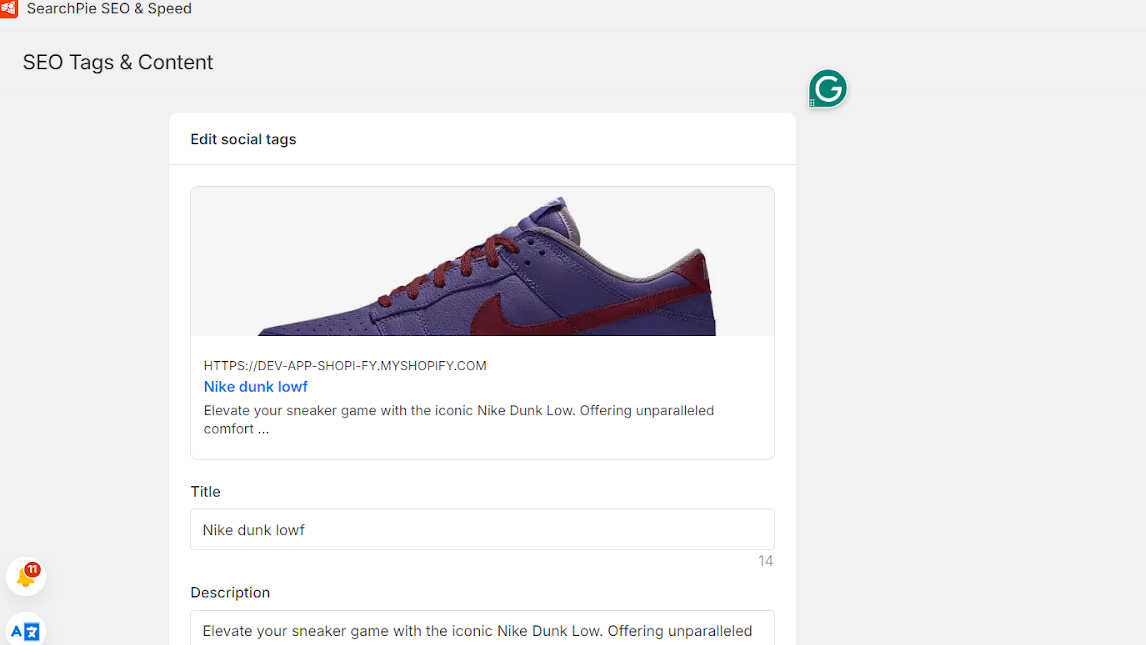
In Home page, Social Shopify tags only have title and descriptions; however in Product, Collection, Blog, and Blog post, you can design your Social meta tags with choose edit content in AI Generate to have more features.
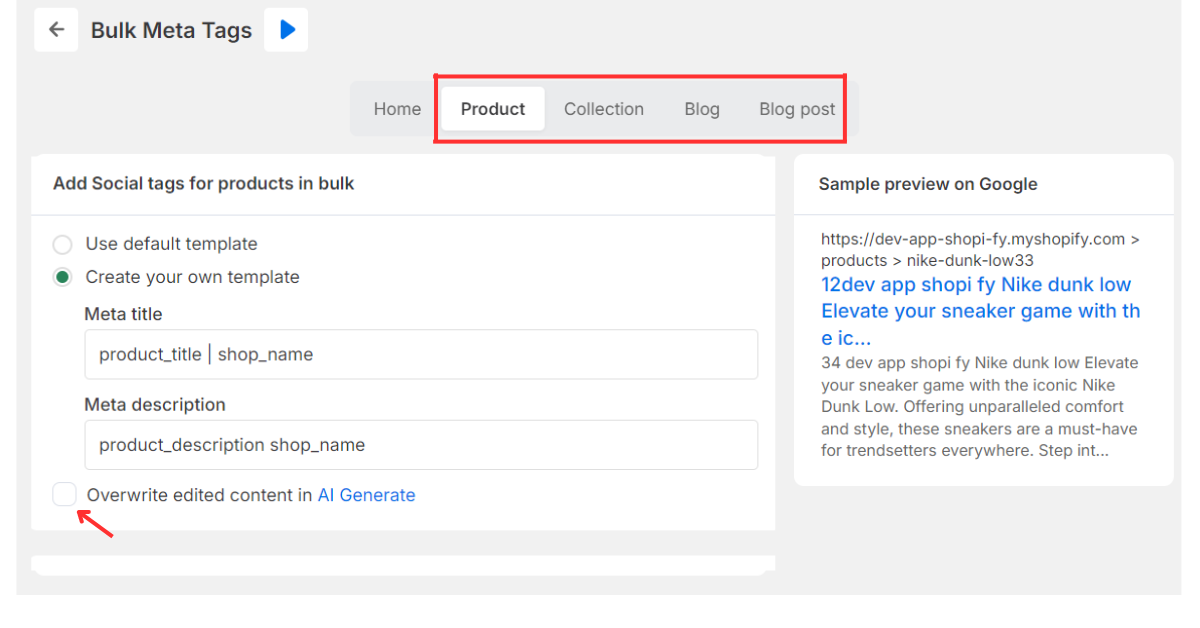
- Next, press AI Generate and next, edit manually with title, description, thumbnail.
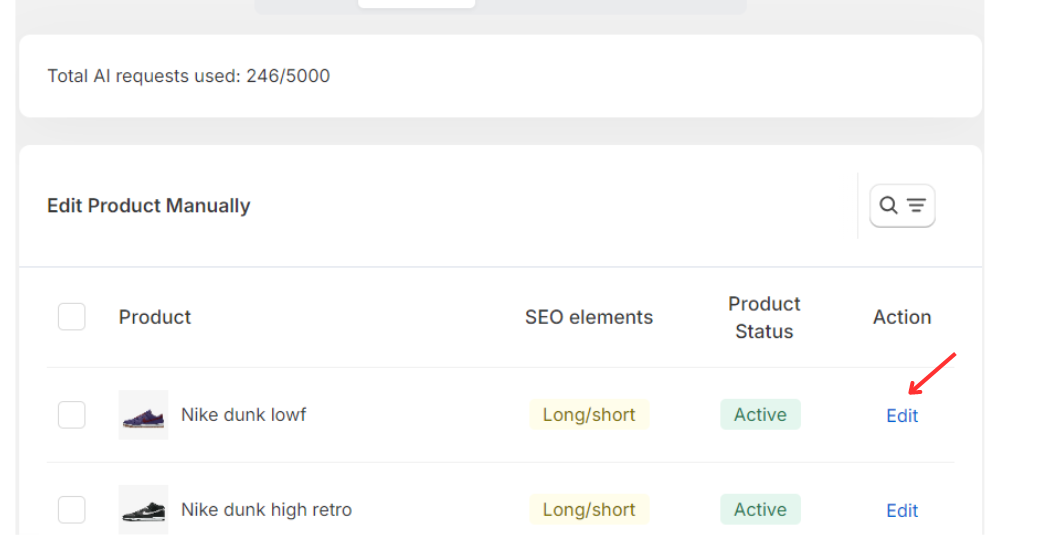
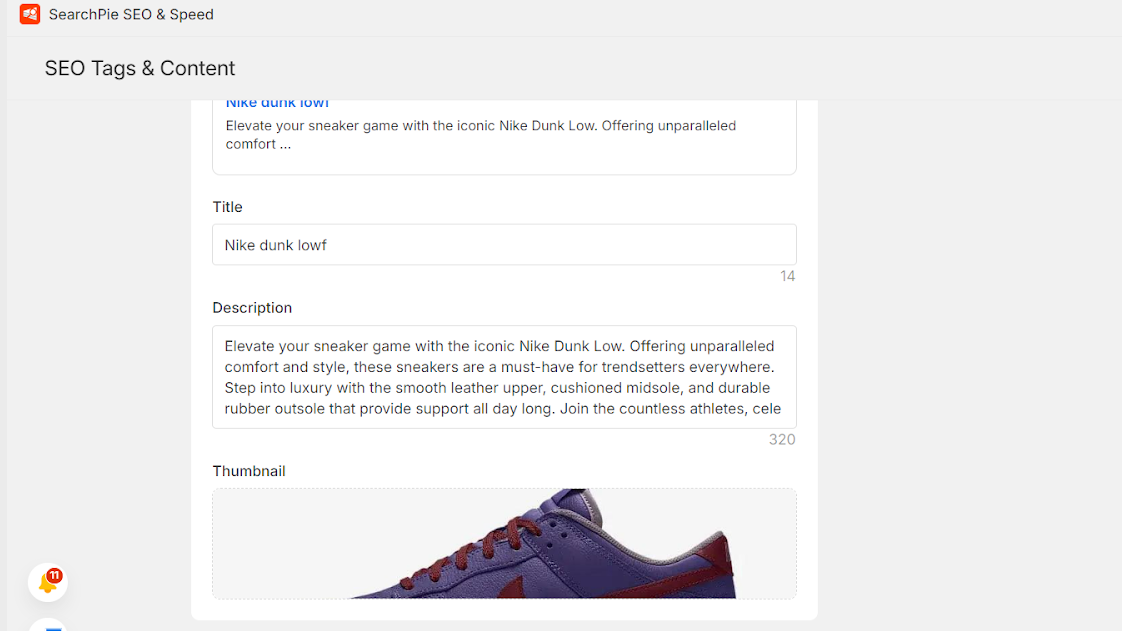
- The interface of Social Shopify Tags will display below the title. You can check and edit it to be suitable for your needs.
Final thoughts
Social tags are a valuable tool for improving the relevance, visibility, and user experience of your web pages. Using an SEO tool is strongly advised to monitor and optimize your SEO tags, especially if your site has a lot of pages. SearchPie is one of the best options available because of its affordable price, advanced functionality, and user-friendly UX/UI.